





Introduction
It hasn’t been in the tablet game all that long, but OnePlus has rapidly turned itself into a major player. Its last few efforts ranked as some of the best tablets running Android, and now it’s back with a threequel that could also give the iPad Air a run for its money. The OnePlus Pad 3 has a bigger screen, bigger battery, and more powerful internals than its predecessor, yet continues the firm’s run of undercutting the competition.
The 13.2in successor to the OnePlus Pad 2 arrives at $699/£529-£599/€599 depending on storage capacity, making it easier on the wallet than the similarly-sized Samsung Galaxy Tab S10 FE+ – and significantly cheaper than an M3-powered 13in iPad Air. Factor in the selection of first-party accessories and there shouldn’t be any task this tab can’t tackle.
After using one for a few weeks, I’m convinced it’s the best all-rounder Android tablet. Read on to find out why.
Design & build: blue me away
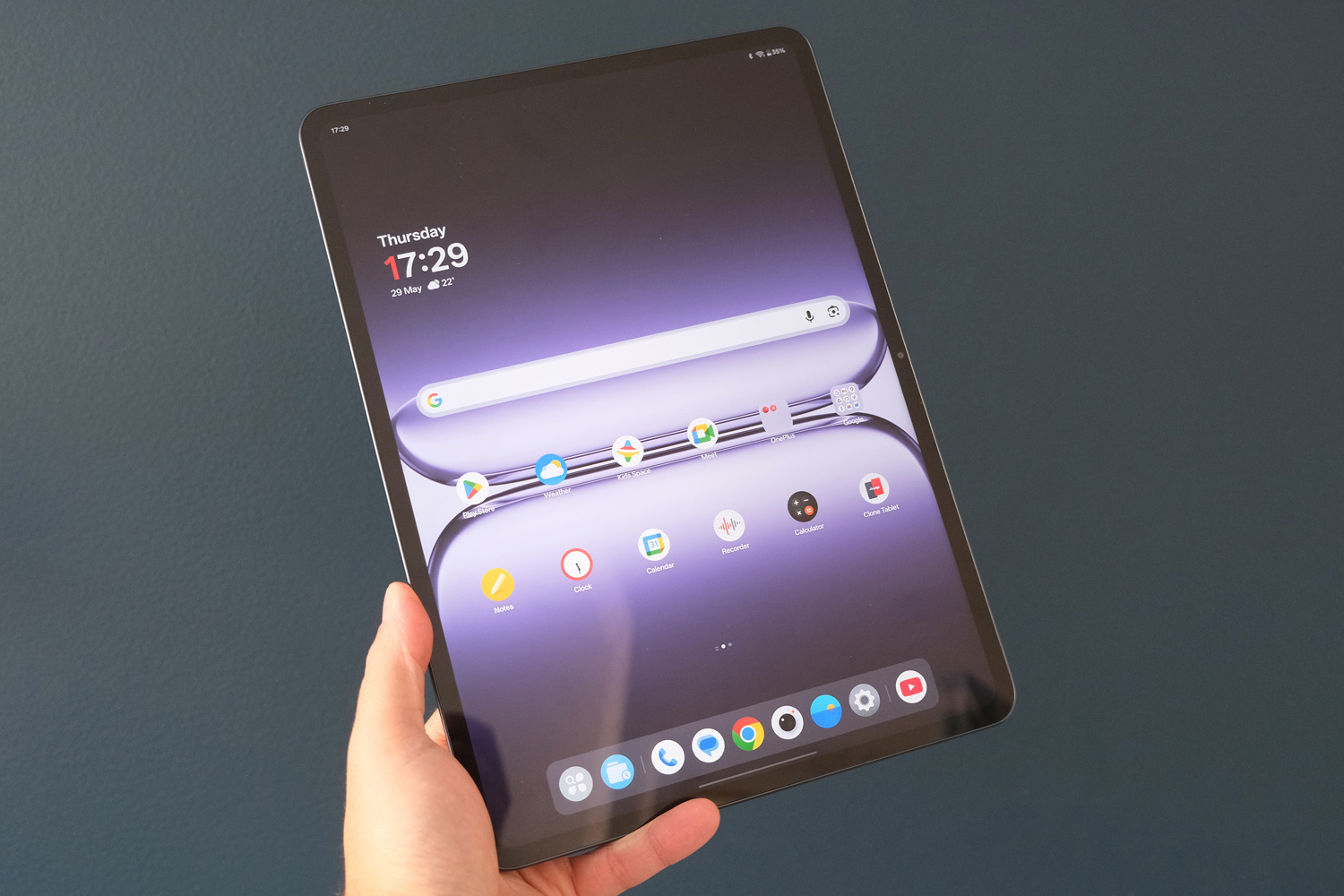
Measuring less than 6mm, the OnePlus Pad 3 has the iPad Air beaten for thinness, though at 675g it’s a smidge heavier. I found it comfortable enough to hold one-handed for a little while, but not for an entire Netflix box-set. The screen bezels are pretty svelte, but leave just enough room to grasp it without blocking the panel.
With flattened sides and an aluminium unibody build, the Pad 3 has definitely gotten with the times. Swapping the rear camera bump from a central circle to a corner-positioned pill-shape means it has lost some of the old tablet’s unique identity, though. The camera itself – a 13MP sensor with electronic image stabilisation – is still pretty basic, falling behind even inexpensive smartphones for detail, exposure and colour.
The 8MP front webcam is more of the same, and best used for video calls. It sits stealthily within the screen bezel, which is way better than a punch-hole or notch. There’s face unlock support, but not the kind that’s secure enough to unlock your banking apps, and what looks like a fingerprint sensor on the top edge is actually a magnetic charging port for the optional OnePlus Stylo 2 stylus. That means you’ll be reaching for the screen to tap in a PIN more often than you would on competing slates.
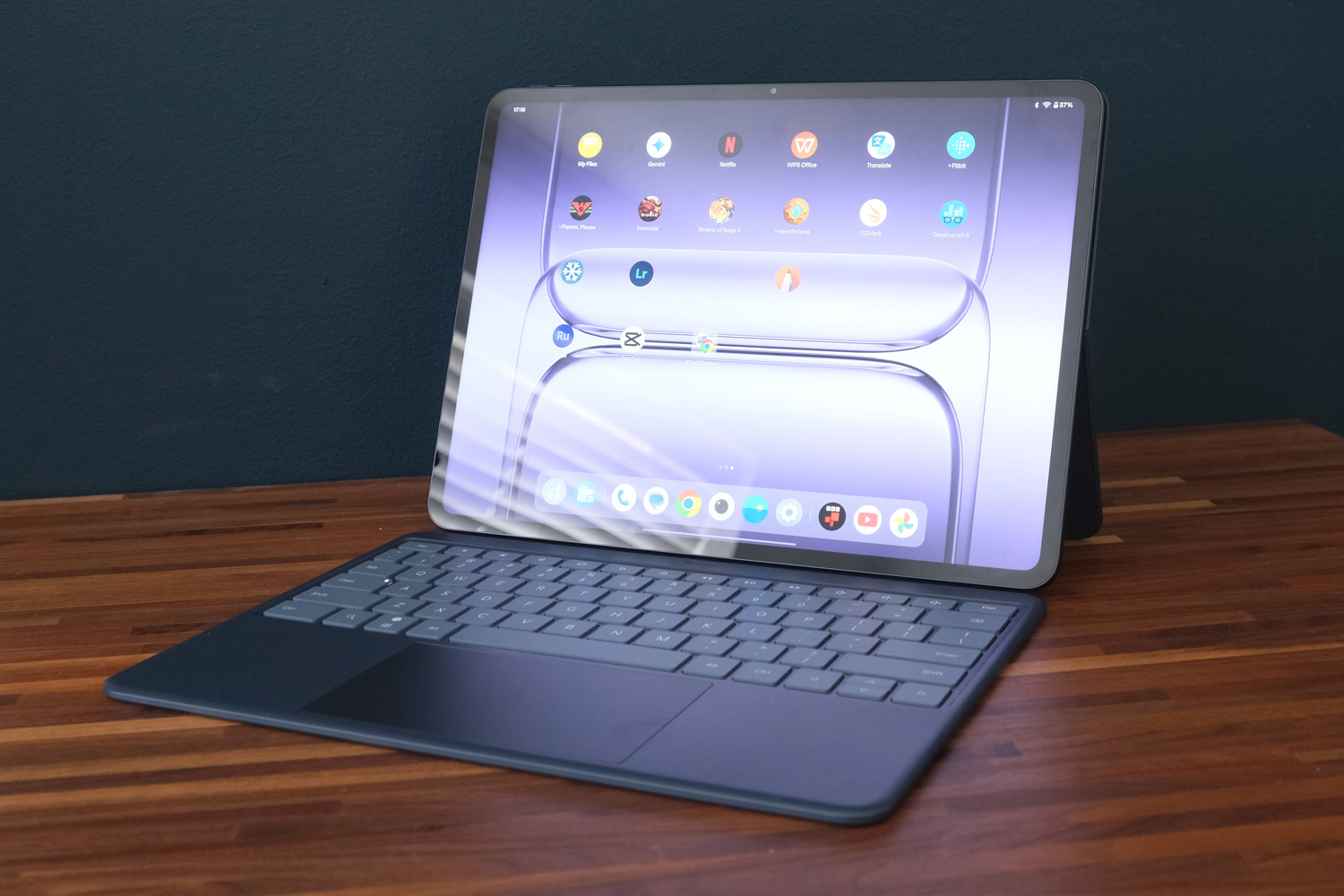
The Storm Blue colour scheme helps the Pad 3 stand out from its rivals a bit. This is the only option for US and Europe, but India will also get a silver version. It’s not the best at hiding fingerprint smudges, but that’s not really an issue once you slap the tablet into the official Folio case; my review unit has pretty much lived in one from the off, as it has an adjustable kickstand that’s ideal for hands-free viewing.
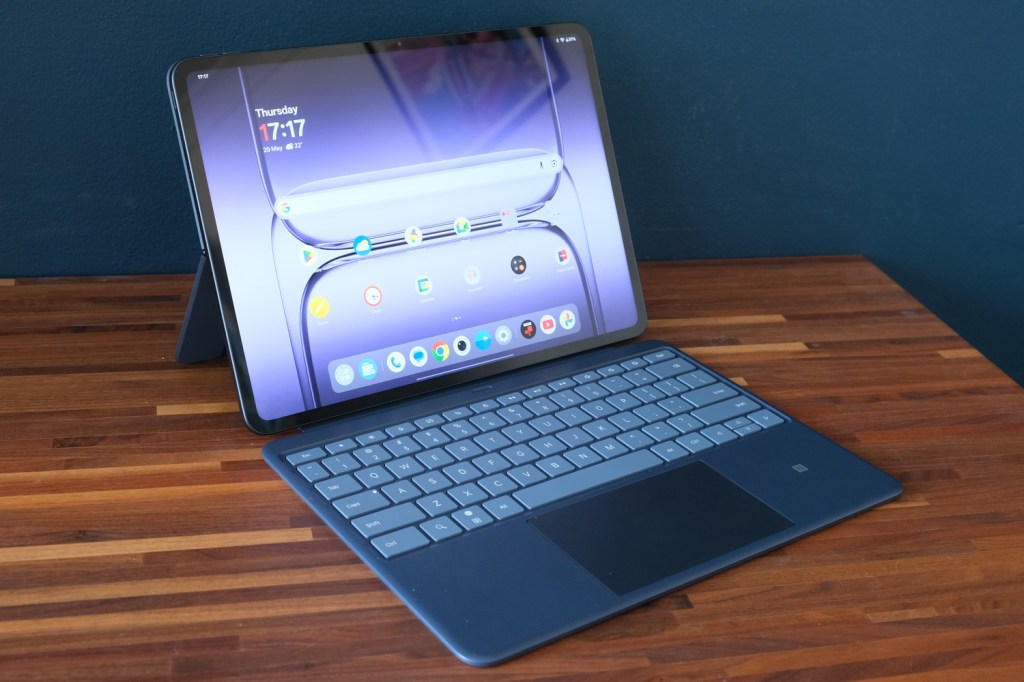
It was the Smart keyboard (a £169/€169 optional extra) that transformed the Pad 3 into a do-it-all tablet for me. It hooks up to the Pad with pogo pins, just like the previous generation, but the key caps are larger here – and more spaced out – so typing was a breeze. I wish it was backlit for low-light working, but like that the shortcut keys get their own row above the number keys. It doesn’t add a huge amount of weight, either, so I was happy to leave it connected even when I didn’t need to type anything.
The expansive touchpad underneath is a nice touch, saving the need to constantly reach for the touchscreen, and the NFC reader built into the palm rest is handy for triggering fast file transfers. It’s pretty much a must-buy if you’re getting a Pad 3.
Screen & sound: bigger and better
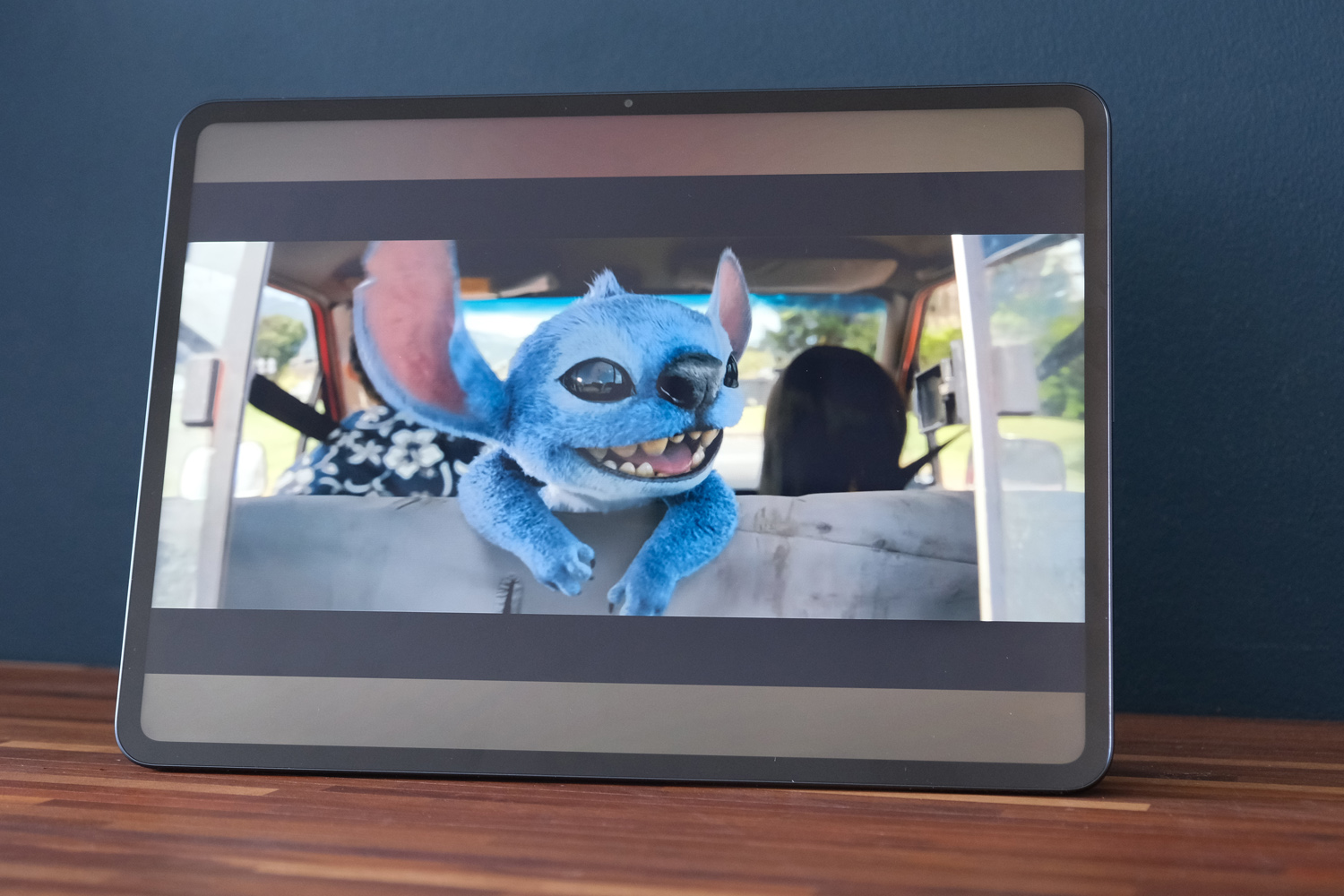
OnePlus was onto a good thing with the outgoing Pad 2’s gorgeous display, so it hasn’t shaken things up for the sequel – just made it even bigger. The Pad 3’s panel now stretches over 13.2in, putting it on par with the larger iPad Air and Samsung’s Tab S10 FE+. That makes it a little more cumbersome for one-handed use, sure – but means multimedia is that much more immersive.
It keeps the work-friendly 7:5 aspect ratio, which is ideal for side-by-side multitasking, and the adaptive refresh rate still caps out at 144Hz, so motion and fast scrolling are as smooth as butter.
The 3.4K resolution is gloriously sharp, letting you really appreciate fine details when flicking through your photo albums, and viewing angles are simply great. Peak brightness tops out at 900 nits, and while average brightness is a bit lower, there’s more than enough shine here to do justice to streaming video. I was able to use the tablet outdoors, too, though dark TV dramas might be a struggle on the sunniest of days.
Is the lack of OLED display tech a deal-breaker? Not in my opinion. The LCD panel delivers impactful and vibrant colours, contrast is really rather good, and black levels are nothing to moan about either. Given most rivals at this price also use LCD screens, I think it’s still comfortably near the front of the class for clarity.
The eight speaker setup – four woofers and four tweeeters, which adapt to which direction you’re holding the tablet – also deliver the goods. They get easily loud enough for shared viewing, have a respectable low-end for a tablet, and don’t get too shrill or sharp when you properly crank the volume.
Software experience: blank canvas
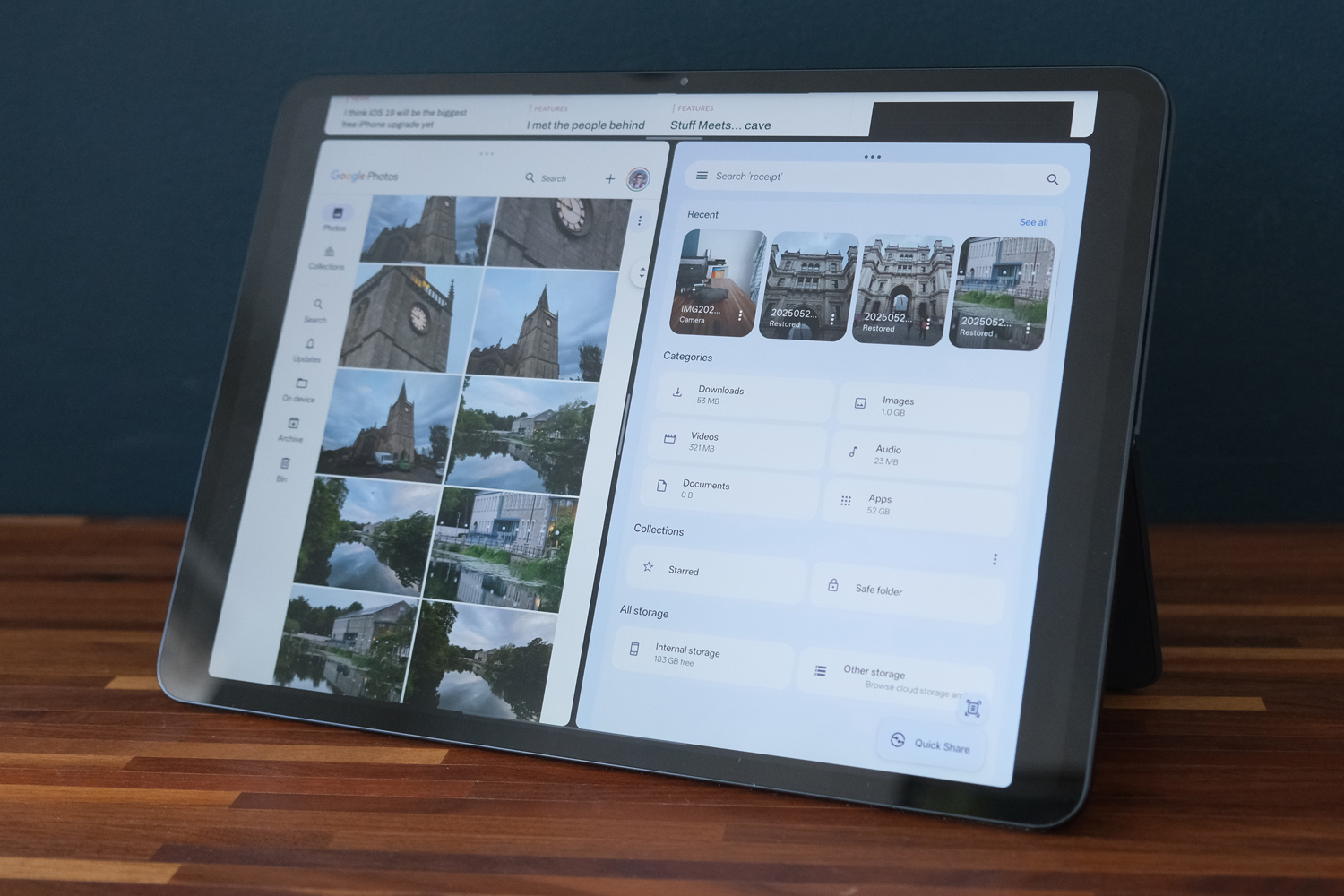
Android generally feels more at home on a big screen than it used to, but OnePlus has still managed to streamline the experience that little bit further. The tablet-tweaked version of Oxygen OS puts its own spin on Google app bar, which can be dragged into view from the bottom of the screen when using one app for seamless switching. It shows both recent and pinned apps, as well as a quick file browser for system-wide drag and drop.
The real highlight is Open Canvas, which for my money is still the best take on multitasking you’ll find on any tablet. As well as the usual side-by-side layout, you can add a third app into the mix; the app you’re using then fills the majority of the screen, while the other two sit at the edge. A single tap swaps the active app, no menus or gestures required. There’s a quick menu at the top of each window now to let you change to full screen, open a different app, or swap to a floating window. You can save preset app pairs and trios, too. For getting work done across multiple apps, no other Android device comes close.
It helps that OnePlus has otherwise kept Oxygen OS fairly streamlined, with just a handful of own-brand apps and next to zero bloat (depending on how you feel about Microsoft Swiftkey and WPS Office over Gboard and Google Docs). There’s plenty of customisation, with the choice of a combined or split quick settings menu and lots of ways to adjust your app icons. I did disable the floating toolbar, though, as it replicated a lot of the app bar’s functions.
Naturally there’s a generous dose of AI on board. The voice recorder can use AI to transcribe and summarise your audio; the notes app has a generative writing assistant to expand, shorten or or polish any text; and the photo gallery has an AI editor that can remove reflections, erase unwanted objects, and boost perceived detail. You also get Circle to Search and Gemini is the default voice assistant.
OnePlus promises three years of new Android generations and six of security patches, which is a decent showing, albeit less than Samsung offers for its flagship tablets. Apple iPads are usually guaranteed six years of iPad OS versions, too – and they continue to have the edge when it comes to creative software, which is worth thinking about if you’re after a device to edit videos or make music with. Just keep in mind you’ll spend considerably more for an Apple slate with as big a screen as the OnePlus Pad 3.
Performance & battery life: ain’t no stoppin’ me now
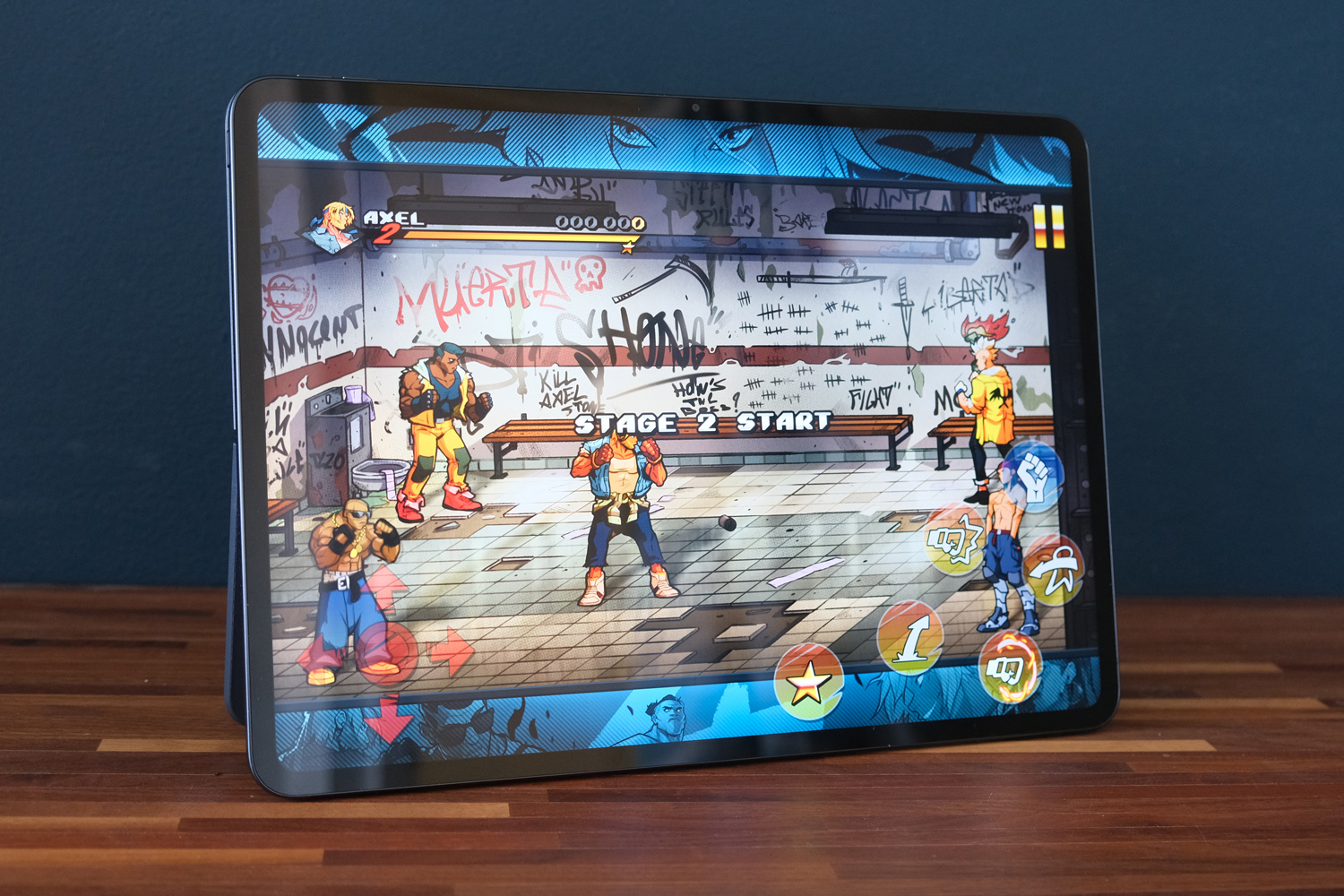
OnePlus has given the Pad 3 a real powerhouse of a CPU, breaking the trend for Android tablets rarely being performance monsters. It’s rocking a Snapdragon 8 Elite, along with up to 16GB of RAM, which puts it on par with the latest crop of flagship smartphones – and brings the fight to Samsung’s MediaTek-powered Galaxy Tab S10 Ultra.
As you’d expect, that means this tablet can handle just about anything you’d care to throw its way. Editing images in Lightroom, cutting videos together in Adobe Rush, and drawing with Sketchbook were all pretty much flawless. Multitasking between a web browser, document editor and file manager was also a dream, with Open Canvas making it so easy to bounce between each app.
Synthetic tests show it has plenty of grunt for both apps and games. While I’ve seen slightly higher benchmark scores in the phone world, they’ve only been from Samsung devices with overclocked ‘for Galaxy’ silicon. The Pad 3 has a High Performance mode that promises to wring out every last drop of power, but I only saw marginal gains.
| OnePlus Pad 3 benchmark scores | Balanced mode | High performance mode |
| Geekbench 6 single-core | 3114 | 3129 |
| Geekbench 6 multi-core | 8869 | 9177 |
| PC Mark Work 3.0 | 13629 | 13690 |
| 3DMark Wild Life Extreme | 6587 | 6635 |
A vapour chamber that uses graphene effectively dissipates heat, so the Pad 3 never not uncomfortably hot or had to dramatically throttle performance when in regular use. I got in an hour of Diablo Immortal and frame rates stayed very consistent. Demanding 3D games are no problem here. That it can rival Samsung’s far pricier flagship tablets on power is seriously impressive.
OnePlus has pulled a blinder on battery life, too. The Pad 3 has a simply enormous 12,140mAh cell, which is bigger than you’ll find in any iPad or Samsung tablet. My usual mix of web browsing, gaming, video streaming and creative work saw it last several days before I needed to plug in; continuous video playback then nudged over sixteen hours, which is one of the best showings of any tablet I’ve tested. Getting your game on will drain it a lot faster, but even hardcore players should see over five hours per charge.
I continue to be impressed with OnePlus’ ability to eke out long standby times from its tablets, too. The firm says this one will last over 70 days; I’ve left it for three and come back to very little power loss. Charging is suitably speedy if you’ve got a OnePlus Supervooc power brick, with the Pad 3 able to suck down 80W. A full top-up is done in an hour and a half, while ten minutes will net almost 20%.
OnePlus Pad 3 verdict
It’s hard to think of anything more I’d want from an Android tablet than this, regardless of price. The OnePlus Pad 3 is brilliantly well-rounded, with the sort of performance to handle just about any task, top-tier accessories that make it a proper productivity machine, and battery life that’s basically unrivalled.
You could argue an OLED display would be the icing on the cake, but I honestly don’t feel it’s needed here. The Pad 3’s screen is a stunner in every respect. It’s as slim and easy on the eyes as an iPad Air, and a lot more wallet-friendly than any of Samsung’s big screen Android slates.
For some creative types it’ll be the operating system that’s the limiting factor, with fewer apps than Apple. But if Android meets your needs and you want a tablet that can truly do it all, look no further.
OnePlus Pad 3 technical specifications
| Screen | 13.2in, 3392×2400 LCD w/ 144Hz |
| CPU | Snapdragon 8 Elite |
| Memory | 12/16GB |
| Cameras | 13MP rear, 8MP front |
| Storage | 256/512GB on-board |
| Operating system | Android 15 |
| Battery | 12,140mAh w/ 80W wired charging |
| Dimensions | 290x210x5.97mm, 675g |


