







Introduction
I’m not a fan of having to pick between high frame rates and portability. The most powerful gaming laptops are usually the biggest and heaviest – and rarely last more than a few hours as soon as you unplug their brick-like power adapters. Or at least, that used to be the case. Manufacturers have gotten much better at emphasising slimness and sleekness, without compromising on hardware. The new Razer Blade 16 might’ve just taken that to the extreme.
At a mere 17mm thick, it isn’t that far off a modern MacBook Pro’s dimensions, yet it finds room inside for top-tier Nvidia RTX 5090 mobile graphics. Razer has also opted for AMD internals for the first time to maximise battery life, and brought OLED display tech into the mix.
The laptop equivalent of a supercar never comes cheap, of course. The Blade 16 starts $2400/£2100 with an RTX 5060 GPU, but climbs up to a heady $4500/£3900 for the version tested here – and you can push that figure even further if you want extra RAM or storage. That puts it in the same ballpark as the equally svelte Asus ROG Zephyrus G16. Does the Razer do enough to justify its asking price?
Design & build: slender fan
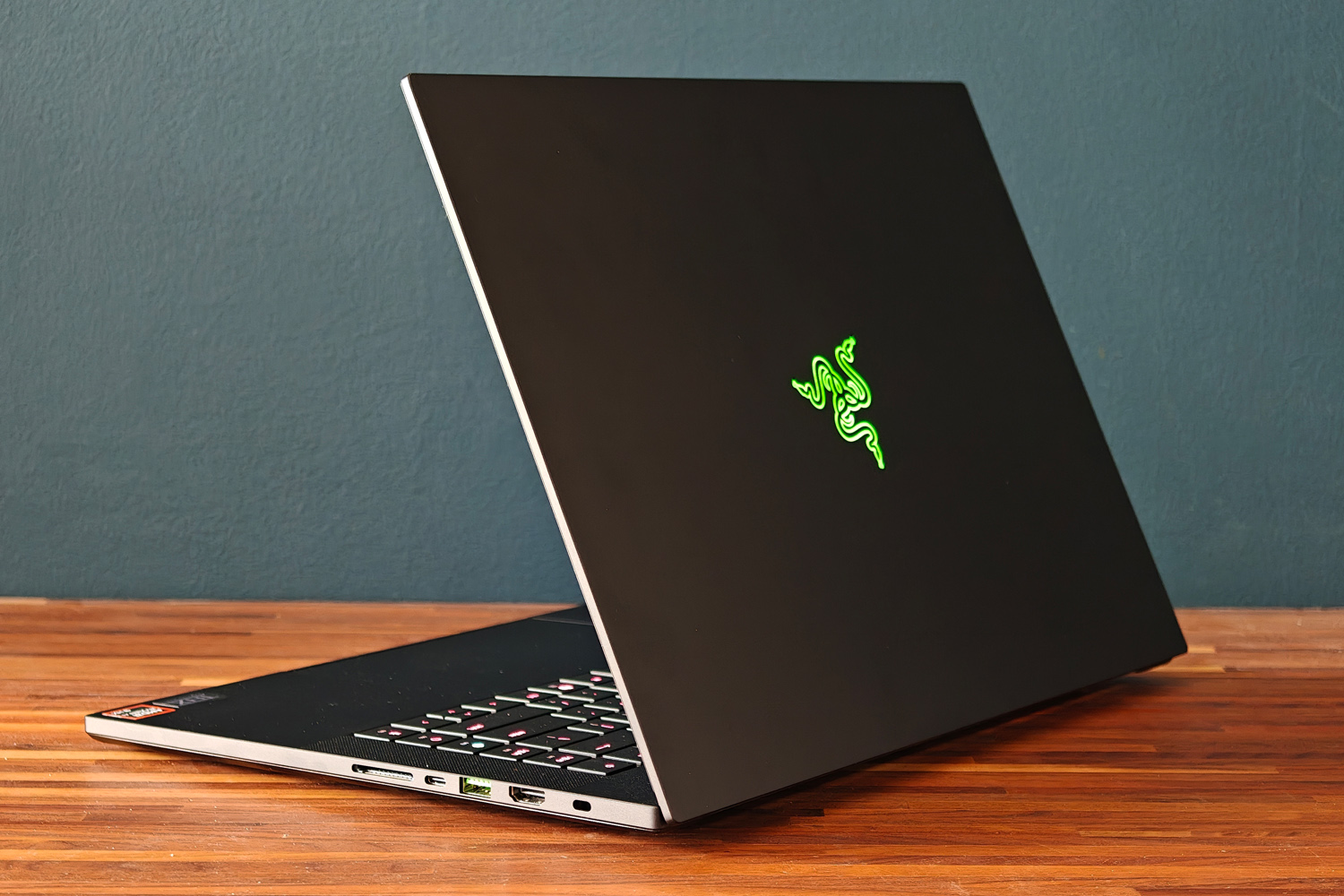
Side by side with a 2023-era Blade (the last to use the old chassis), it’s seriously impressive how much skinnier this new model is – despite having to make room inside for some particularly toasty components, not least the RTX 5090 GPU. Cleverly, Razer has pulled this thinning off by actually making the new laptop larger.
The 5mm of depth that’s been shaved off has been added to the length of the laptop instead, but you’d only notice with a direct comparison. The footprint has barely grown, and it won’t affect the sort of backpacks or laptop bags the Blade will slide into. That’s handy, as given the new model is over 300g lighter than the old one, you’re going to want to take it on the move a lot more.
I’ve long seen Razer laptops as the yin to Apple’s yang, and that rings true again here. There’s a clear family resemblance in the milled aluminium unibody, subtle Ouroboros logo on the lid, and green accented USB ports at the sides. The matte black finish is treated to prevent wear, and does a decent job at minimising fingerprint smudges too. It looks mean, without also being shouty; as gaming laptops go, it’s wonderfully subtle unless you know what you’re looking at.
The Blade also gets a big thumbs up for not skimping on connectivity in the name of slimness. You get two USB-Cs (one USB4, one USB 3.2) and three USB type-As, as well as full-size HDMI, a 3.5mm combination headset port, and a full-size SD card reader. Having them all at the sides makes it impossible to keep cables out of sight when gaming at a desk, but convenient for quickly plugging in peripherals.
Keyboard & touchpad: happy taps
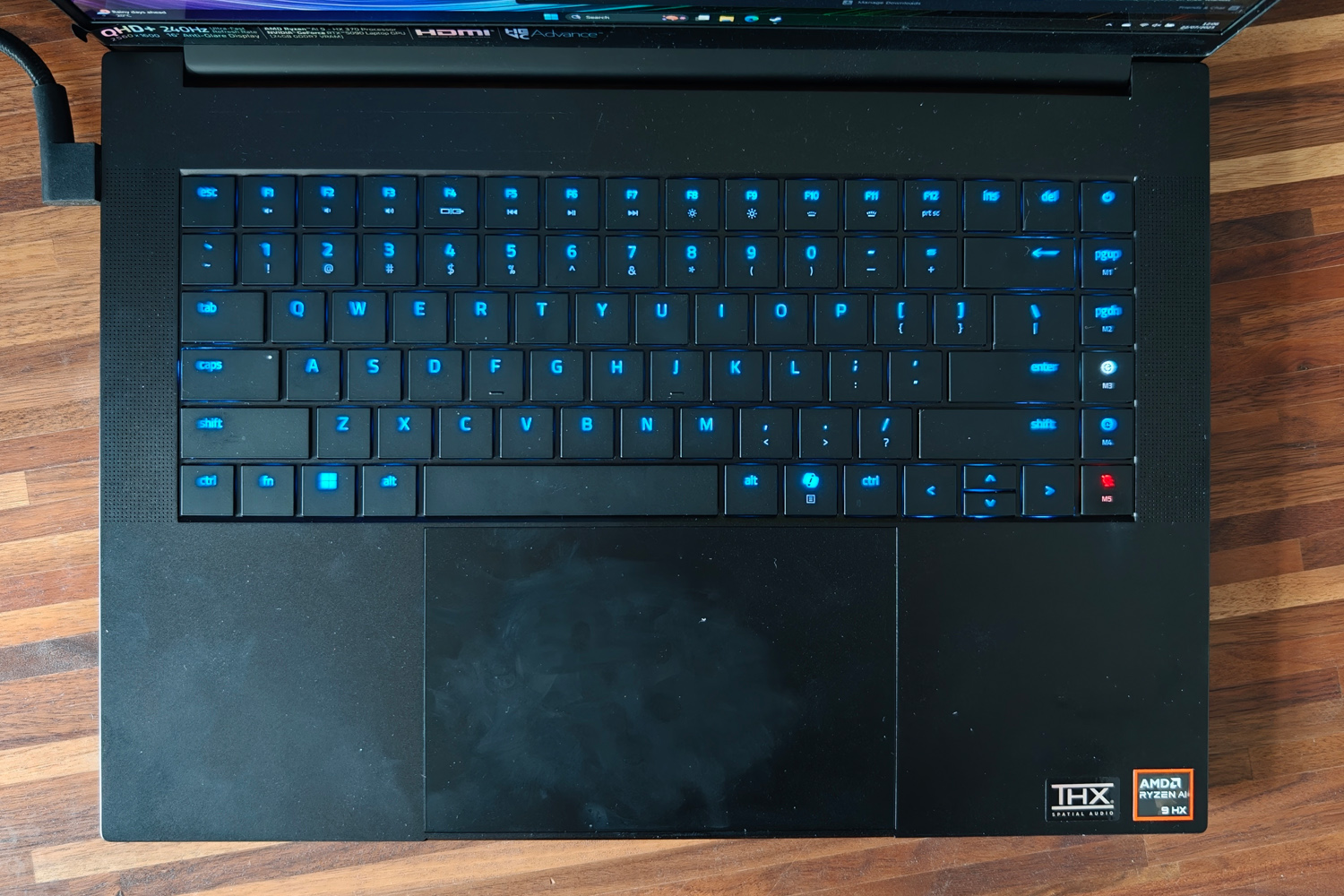
Older Blades weren’t the greatest laptops to type on, but this new one is a treat for your fingers. There’s 50% more key travel than the last-gen chassis got, and the actuation force has been adjusted so it feels like you’re pressing down with purpose before an input is detected. It’s fairly quiet to tap away on unless you type like you’re hammering nails, and each island-style key is comfortably spaced apart. It did take me a few hours to get used to how flat it all is, with no key recesses to help place your fingers.
Sensibly Razer hasn’t tried to shoehorn in a numerical keypad, but has found a bit of space at the edge of the board for a few customisable macro keys. Holding down the fn button also switches the per-key RGB backlighting to highlight the top row’s multimedia functions, making things like screen brightness and the mute key far easier to find. Doubling up on LEDs for these keys mean each key cap is perfectly lit, with next to no light bleed around the edges. You can customise the lot through Razer’s Synapse software, too.
While I default to a wireless mouse for pretty much anything outside of the Windows desktop, the Blade’s touchpad is a fine substitute when away from a desk. It’s huge, with a low-friction surface that makes cursor movement a breeze. It’s accurate and has a firm physical click action.
Screen & sound: how refreshing

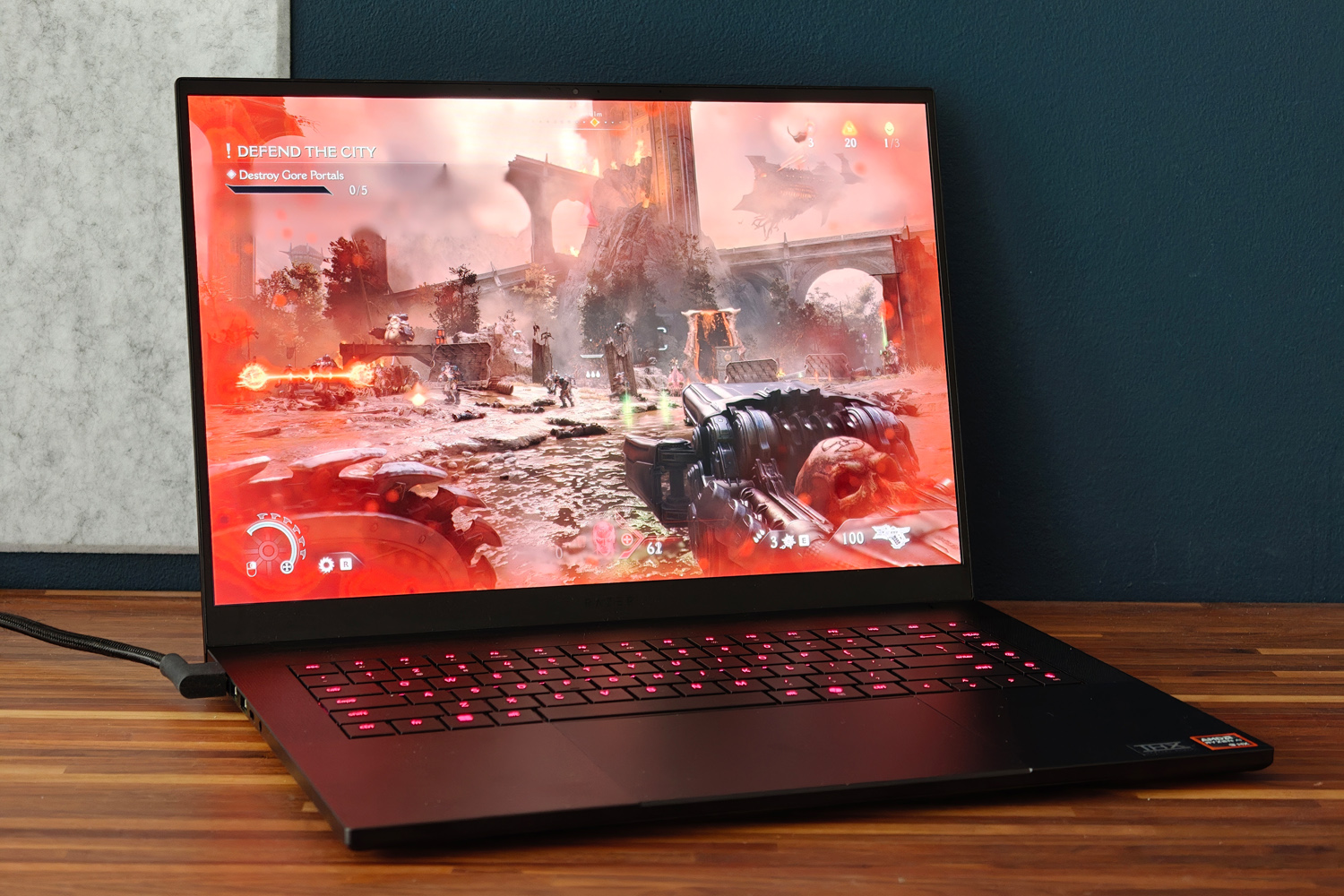
Regardless of what spec you choose, every Blade 16 gets the same QHD+ resolution display. I’m not complaining – it’s an absolute stunner, and I rarely used the last-gen Blade’s dual resolution mode anyway. Here you’re getting a 2560×1600 OLED with a rapid 240Hz refresh rate, which is ideal for hectic multiplayer gaming. While some LCD screens claim even faster refresh rates, OLED tech has inherently faster response times, so you’re getting a gloriously smooth presentation here. Variable refresh all but prevents tearing when frame rates dip below 60fps, too.
OLED also means there’s none of the light bloom or halo effect you got on the old Blade’s mini-LED panel – just perfect blacks and impeccable contrast, which give dimly lit movie scenes and dark game levels outstanding amounts of depth. Colours are deliciously vibrant, helping Cyberpunk 2077’s Phantom Liberty expansion feel even more immersive than usual.
There’s a decent amount of brightness on tap, which helps give HDR content some welcome extra pop. Pretty much the only downside is how reflective the panel is; even at full whack, sitting by windows or underneath bright lights can be quite distracting.
The six-speaker sound system is a great match to the screen, getting impressively loud and with decent amounts of bass for a laptop. The mid-range is clear, and THX Spatial Audio does a convincing impression of surround sound. Treble could use just a little extra bite, but I didn’t ever feel the need to plug in a headset unless I was gaming – and that was partly down to fan noise. The internal fans spin up to a noticeable degree as soon as you boot into a game, and are impossible to ignore when run at their maximum.
Performance: graphical greatness
Razer used to be all-in on Intel, but has made the switch to AMD power for this laptop generation. The Blade 16 kicks off with an AMD Ryzen AI 9 365, but steps up to a Ryzen AI 9 HX 370 once you add RTX 5090 graphics to your order. I’ve seen this twelve core, 24-thread chip in larger gaming laptops, but this is the first time I’ve tried one in such a skinny chassis. In my review unit it’s paired with a 2TB NVMe SSD and 32GB of RAM.
For desktop duties, AMD’s silicon trades back and forth with the last-gen Intel Core chips. The gap is fairly small, and there’s ample oomph for all sorts of creative jobs like image editing. Synthetic tests show very little in the way of penalty for going slim, being roughly on par with the 18in MSI Stealth A18 AI+. Certain tasks – like video encoding – are just better suited to Intel’s architecture, so keep in mind that newer doesn’t always mean better – though AMD comfortably wins out on efficiency. More on that below.
| Razer Blade 16 (2025) productivity benchmark scores | |
| Geekbench 6 single-core | 2966 |
| Geekbench 6 multi-core | 15488 |
| Geekbench AI | 7643 |
You don’t buy a Blade 16 to just work on the Windows desktop, of course. It’s gaming where this laptop truly shines, the RTX 5090 GPU and its whopping 24GB of video memory absolutely churning through modern titles. At the 2560×1600 native resolution, none of the titles I tried ever dipped below 60fps as long as ray tracing stayed disabled. Counter Strike 2 comfortably saw frame rates in the 100-200fps range, which should be ideal for serious esports gamers.
Ray Tracing can still make the hardware sweat, Nvidia’s upscaling tech is on hand to assist. DLSS 4.0 and multi-frame generation are scarily good, creating entirely new frames without the tearing, blurriness or input delay seen on previous iterations. Cyberpunk 2077 saw huge gains, from a barely playable 24.4fps with maximum path tracing but no upscaling, to a far smoother 53.9fps with DLSS. Doom: the Dark Ages was equally impressive, running smoothly even when the screen was filled with demons.
This is the fastest mobile GPU money can buy, hands down – but native rendering performance isn’t a huge leap from the previous generation, and the RTX 5080 isn’t that far behind. It’s only with DLSS and multi-frame generation enabled that the 5000 series shows a truly generational leap from the 4000 series, and even then 4K gaming at maximum settings with ray tracing still looks out of reach in some titles. The Blade 16’s more restrictive thermals also limit the 5090’s potential a little, but not to the extent that games aren’t playable. Frame rates never dipped at any point, even during a marathon play session.
| Razer Blade 16 (2025) gaming benchmark scores | Native rendering (2560×1600) | DLSS upscaling |
| 3DMark Steel Nomad | 5821 | N/A |
| Cyberpunk 2077 (RT Overdrive) | 24.43fps | 53.9fps |
| Cyberpunk 2077 (Ultra, RT off) | 91.42fps | 111.05fps |
| Shadow of the Tomb Raider (RT on) | 119fps | 148fps |
| Shadow of the Tomb Raider (RT off) | 156fps | 161fps |
| Gears Tactics | 130.6fps | N/A |
Arguably what impressed me most when benchmarking the Blade 16 was how long it lasted while away from the mains. When looping a local video at 50% brightness, I was getting close to ten hours. That’s way more than I managed from the old Intel-powered Blade. Desktop working should see you closer to six or seven, which might be enough to see you through an entire working day – if you aren’t tempted to game during your lunch break.
Depending on the title it can last between one and three hours here. That’s still not a bad showing for a laptop with a green this big and a GPU this power-hungry.
Razer Blade 16 (2025) verdict
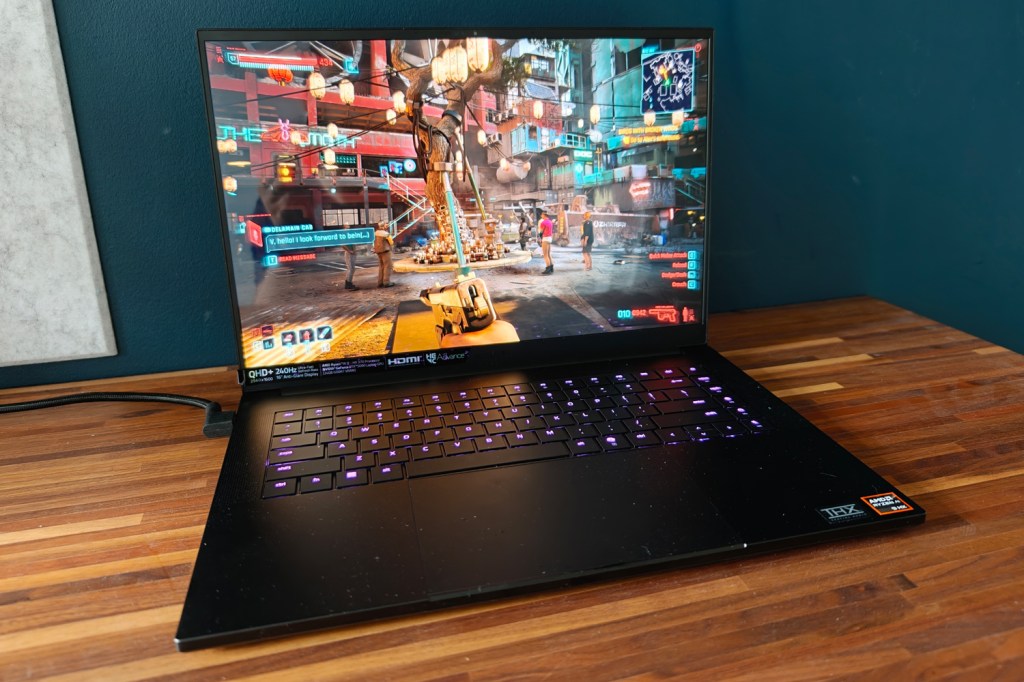
Razer laptops have always carried a certain gravitas, but I think the latest Blade 16 might be one of the first to truly deserve it. This is a gloriously potent gaming laptop, with the sort of screen you could happily stare at all day and enough ports at the sides to become a very effective desktop replacement. Yet it also has a long-lasting battery and is light enough that you can happily take it on the move.
OK, it’s expensive, especially in 5090 guise – but name a laptop with that GPU that isn’t. The ‘Razer tax’ does mean you pay a premium over the likes of Asus, MSI or Lenovo, but you’re getting a design that’s almost on par with Apple for your money. If you have the funds, it’ll demolish any game you can throw at it for years to come.
Razer Blade 16 (2025) technical specifications
| Screen | 16in, 2560×1600, 240Hz OLED |
| Processor | AMD Ryzen AI 9 HX 370 |
| Memory | 32GB RAM |
| Graphics | Nvidia GeForce RTX 5090 Laptop w/ 24GB RAM |
| Storage | 2TB |
| Operating system | Windows 11 |
| Connectivity | HDMI, 1x USB4 Type-C, 1x USB 3.2 Type-C, 3x USB, 3.5mm headphone port, SD card reader |
| Battery | 90Whr |
| Dimensions | 355x251x17.4mm, 2.14kg |


