






Introduction
While some gaming laptop brands take the one-and-done approach, Acer goes the other direction: across Nitro, Triton and Helios, there’s seemingly something in its extensive Predator line-up to appeal to any budget. Draw a line straight through the middle and you’ll probably hit the Predator Helios Neo 16S AI. Not quite a desktop replacement, not quite a super-slim travel companion, it’s more a best-of-both machine – but one that hasn’t skimped on hardware one bit.
An Intel Core Ultra 9 processor and Nvidia RTX graphics put it squarely up against the Asus Zephyrus G16 and Razer Blade 16, except you’re getting better connectivity here – and spending less cash. Considerably less if you forego the OLED screen for an IPS panel – though having now sat in front of one for the last few weeks, I think you owe it to your eyeballs to stick with the former.
The bigger question is whether the Helios Neo’s more mainstream styling and materials choices hold it back against the decidedly more sleek competition.
Design & build: corporate gig
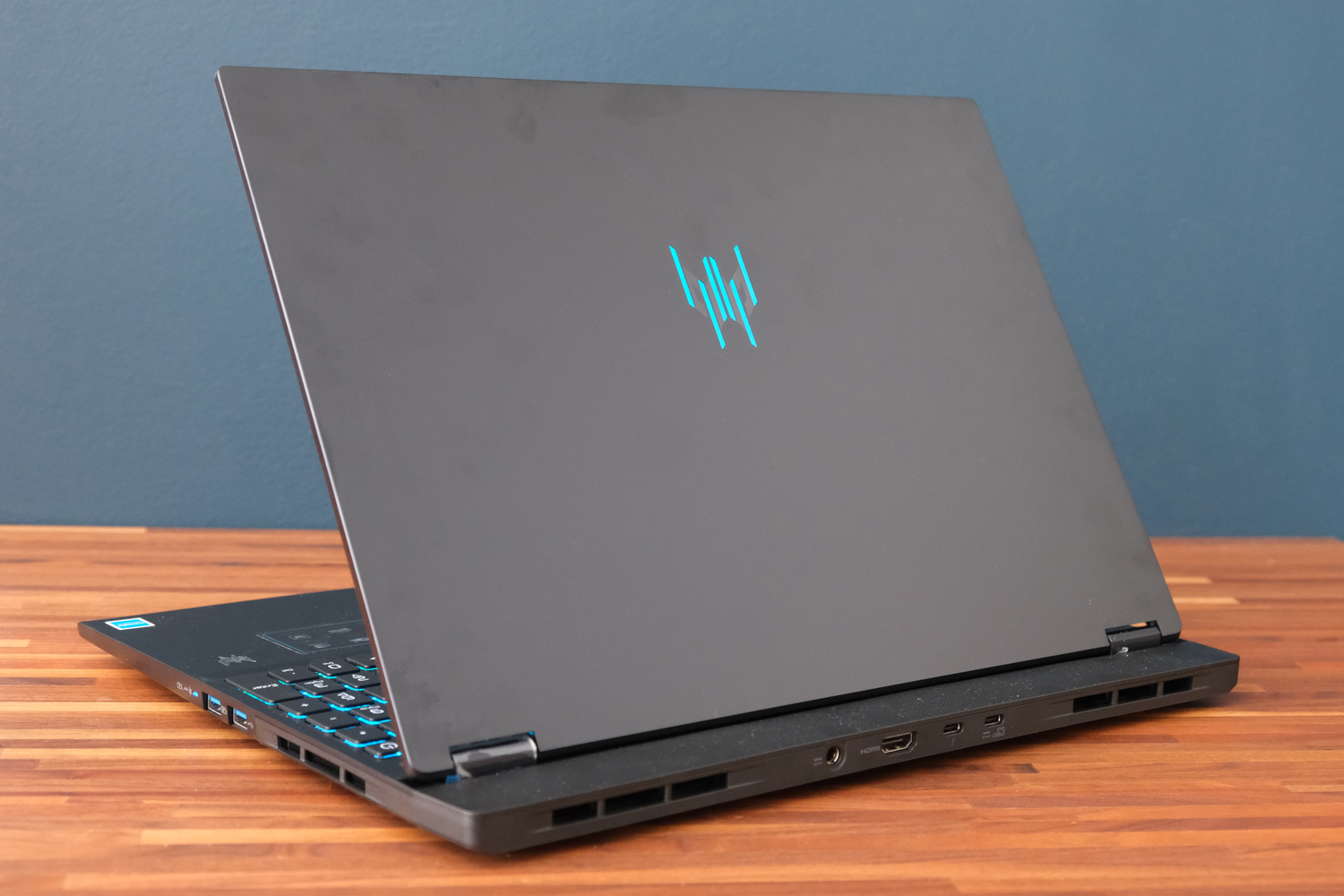
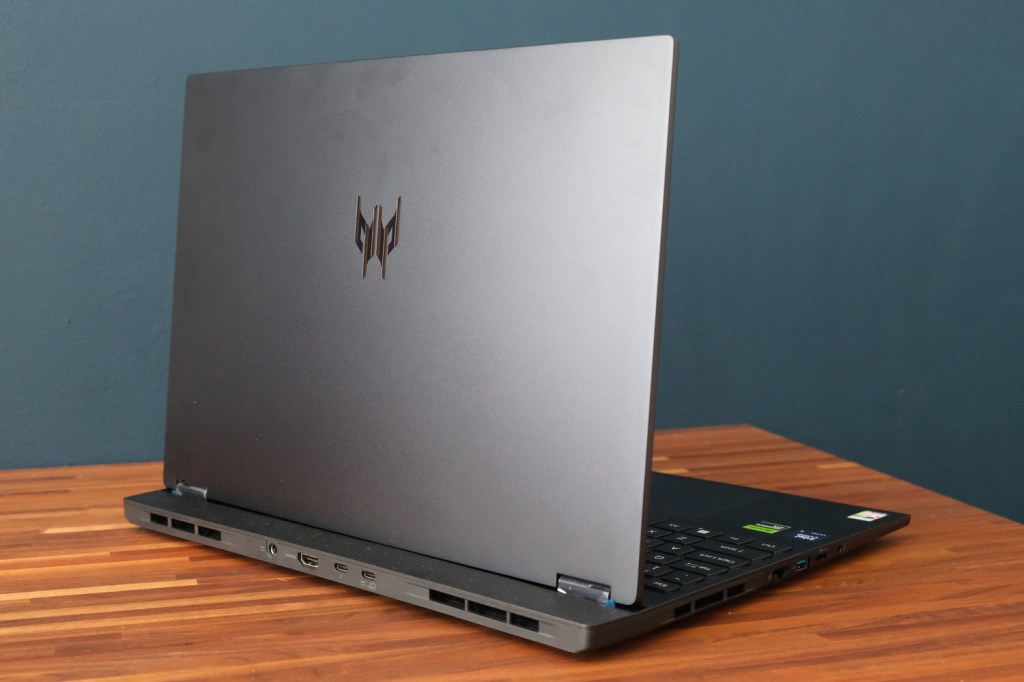
OK, the Predator Helios Neo 16S AI clearly stands out from Acer’s more businesslike Aspire laptops. It has a few gaming laptop hallmarks, like the light-up predator logo etched onto the lid and the ‘chin’ at the rear that provides extra room for cooling kit, ventilation, and connectivity. But it’s far from the most streamlined machines doing the rounds right now.
The sharp angles look a bit busy in places, and the mix of materials mark it out as a more mid-range gaming laptop compared to the metal unibody builds from Asus and Razer. The lid in particular is a real fingerprint magnet.
Still, Acer has done well to keep the dimensions in check, meaning this 16in machine is satisfyingly slim. Not counting the tapered edges, it’s a sliver under 20mm. Even with the larger footprint created by that protruding rear section, this is a laptop I’d be happy to sling in a bag and take on the move. At 2.3kg it’s not exactly a featherweight – and even less so once you take the power brick into account – but it has an edge over dedicated desktop replacement machines.
Stashing the power and HDMI ports in the rear section helps minimise cable clutter when used at a desk. You also get two USB-C ports, with one able to handle display output. I’d have preferred a full-size SD card reader instead of the microSD slot Acer stuck on the left side of the laptop, along with the Ethernet port, single USB-A, and 3.5mm headset port – but that’s only because my digital camera uses one. Two more USB-As on the right side complete the set.
Keyboard & touchpad: squeezy does it
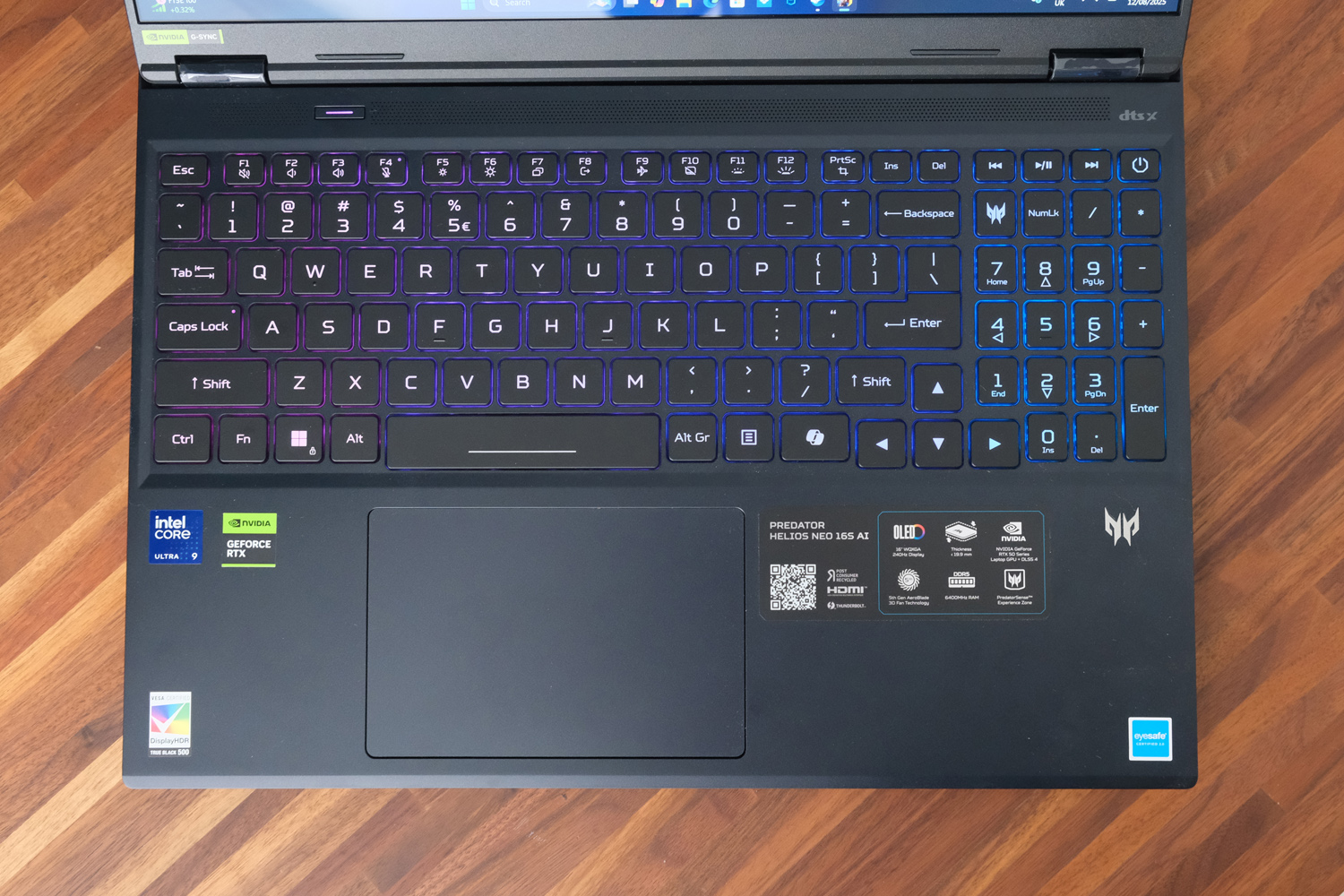
I’m not a fan of numerical keypads being squeezed into gaming laptops; the space they take up could be filled with upward-firing speakers, or rows of customisable macro keys. The Predator Helios Neo 16S AI does at least have a few multimedia keys, and a single shortcut that loads Acer’s PredatorSense software, but it still eats into the amount of room the QWERTY keys have to play with. That’s not to say typing felt especially cramped; more that I felt off-centre from the screen, which isn’t an issue on the Razer Blade 16.
The keys themselves naturally have per-key backlighting you can customise to your heart’s content; the way it shines both through and around each key means you’ll never struggle to spot a particular character or symbol. They’re all a good size, with a suitably bouncy action and reasonable amount of key travel. Mechanical switches aren’t a thing at this price, but equally I didn’t feel I had to rush for my desktop keyboard when working.
One button sits in isolation above the keyboard tray, where you won’t accidentally press it – unlike the power button, which is perilously close to the multimedia controls for my liking, even if you’ve got to hold it down for a second or two before the laptop enters sleep mode. This one either toggles through power modes (quiet, balanced, performance, turbo) when on battery power, or toggles turbo on and off while connected to the mains.
I was underwhelmed by the touchpad, which feels quite plasticky and has more friction than some of the nicer glass touchpads I’ve tried recently. I know gamers are just going to plug in a mouse or a controller, but it’s not even that great to use on the Windows desktop.
Screen & sound: colour me impressed

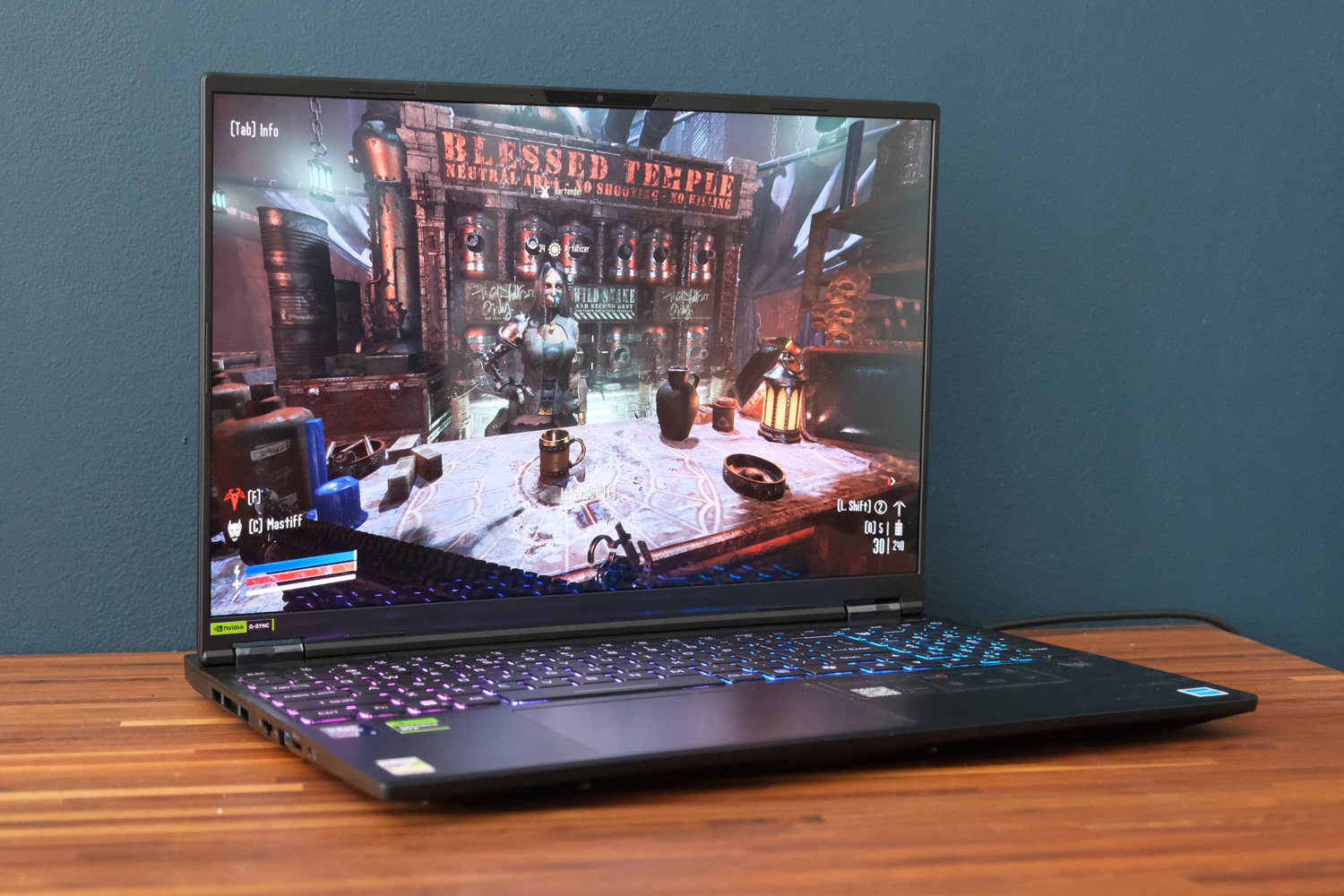
Acer has done a great job in keeping the Predator Helios Neo 16S AI’s screen bezels skinny, so your attention is focused entirely on the gorgeous OLED panel. There’s still some room at the top for a Windows Hello-ready 1080p webcam, which you’ll want to make use of as there’s no fingerprint sensor on board.
The 16in display’s 2560p resolution is a great pick for the GPU, not needing nearly as much grunt as a 4K panel but still being a step up in clarity from 1080p. It also means you’re more likely to take advantage of the 240Hz maximum refresh rate, which is wonderfully smooth. Text, icons and images on the Windows desktop look perfectly sharp, and viewing angles are top-tier. There’s plenty of hinge tilt, too.
Colour coverage is fantastic, and accurate too; creative sorts will have no worries about working on this laptop. The OLED tech delivers perfect blacks and fantastic contrast, which made a big impression while I was blasting demons in Doom: The Dark Ages‘ dimly-lit hallways. Doubly so when you activate HDR, which gives highlights an extra boost. This isn’t the brightest laptop I’ve tried lately, but the peak 400 nits is still a decent showing.
My biggest issue is with the extremely glossy screen coating. It practically becomes a mirror if you’re sat behind a window or bright light source, with really distracting reflections.
The stereo speakers put in a decent performance, with reasonable volume. There’s not really much in the way of bass, and it can’t shout loud enough to drown out the internal fans when they’re going full chat, so a headset is still the way to go.
Performance & battery life: plays it safe
There are a few different versions of the Acer Predator Helios Neo 16S AI out there, with varying amounts of RAM and storage, but most are packing Intel’s Core Ultra 9 275HX processor. My review unit pairs the 24-core chip with 32GB of memory and a 2TB NVMe SSD.
It’s a potent combination on the Windows desktop, delivering more grunt than the equivalent AMD Ryzen CPU in most of my tests, though not by a huge margin. I’ve also seen rival laptops with more effective cooling – or that are more willing to provide extra volts – sore higher with the same silicon. The Medion Erazer Beast 16 X1 could be a marginally better choice if you’ll be rendering a lot of videos.
| Acer Predator Helios Neo 16S AI productivity benchmark scores | |
| Geekbench 6 single-core | 3149 |
| Geekbench 6 multi-core | 16898 |
| Geekbench AI | 10402 |
The main event is of course the GeForce RTX 5070 Ti. Nvidia’s third-rung laptop graphics chip has 12GB of dedicated video memory, and is perfectly equipped to handle games at the Predator’s 2560×1600 native resolution. Counter Strike 2 sat comfortably in the 150+ frames per second region, which means this laptop will excel at pretty much any esport title. Older games that don’t use ray tracing are no match for it, either.
More demanding games see the frame rate dip under the magic 60fps, with Cyberpunk 2077 asking a lot even before you switch on ray tracing. The RT Overdrive preset tanked to 14.7fps, but Nvidia’s DLSS upscaling can more than double performance with very little penalty to image quality. Multi-frame generation is new secret sauce on top, taking a 35.9fps average with purely DLSS enabled to a fantastic 117fps.
| Acer Predator Helios Neo 16S AI gaming benchmark scores | Native rendering (2560×1600) | DLSS upscaling |
| 3DMark Steel Nomad | 3614 | N/A |
| Gears Tactics | 90.0fps | N/A |
| Cyberpunk 2077 (RT Overdrive) | 14.7fps | 35.9fps |
| Cyberpunk 2077 (Ultra, RT off) | 51.7fps | 118.3fps |
| Shadow of the Tomb Raider (RT on) | 73fps | 113fps |
| Shadow of the Tomb Raider (RT off) | 114fps | 148fps |
The Predator’s cooling ability and power management aren’t quite as hardcore as some of the chunkier, more desk-bound gaming laptops I’ve tried, so the scores here are slightly lower across the board. It does keep thermals in check, so marathon gaming sessions don’t lead to performance dips, but the dual fans spin up to pretty loud levels to achieve it.
Where the Predator Helios Neo 16S AI falls down slightly as a go-anywhere machine is battery life. Intel’s latest-gen silicon isn’t nearly as power efficient as AMD’s current CPUs, and the 76Wh cell inside it isn’t the biggest. I saw roughly five hours of video playback, but more typical desktop use saw it drained sooner. Gaming will eat up a charge in under two. The Ryzen-powered Razer Blade 16 remains my top pick for gaming laptop longevity.
Acer Predator Helios Neo 16S AI verdict
How much do you care about aesthetics? While I’d personally pay that little bit extra for the sleek styling of an Asus Zephyrus or Razer Blade, plenty of gamers will be more bothered about the hardware inside their laptops rather than how they look on the outside. If you fall into the latter camp, the Predator Helios Neo 16S AI is absolutely worth a look.
It has ample amounts of power on tap, a GPU that’s well matched to the resolution of that gorgeous OLED screen, and enough ports to replace your desktop tower – yet is still just about portable enough to take travelling. Loud fans and merely OK battery life mean it isn’t fully multi-purpose, but it gets very close. Considering how much it undercuts its rivals, those are compromises you could happily live with.
Acer Predator Helios Neo 16S AI technical specifications
| Screen | 16in, 2560×1600 240Hz OLED |
| Processor | Intel Core Ultra 9 275HX |
| Memory | 32GB RAM |
| Graphics | Nvidia GeForce RTX 5070ti |
| Storage | 2TB SSD |
| Operating system | Windows 11 |
| Connectivity | 1x 3.2 Gen 1 Type-A, 1x USB 3.2 Gen 2 Type-A, 2x USB 3.2 Gen 2 Type-C, HDMI, Ethernet, 3.5mm, microSD card reader |
| Battery | 76Wh |
| Dimensions | 357x276x19.9mm 2.3kg |


